Exadata Exascale VM Storage is officially available in our region!
If you are setting up new environments in ExaCC or OCI , Oracle now strongly recommends deploying your VM clusters using an Exascale VM Storage Vault rather than traditional local compute storage. By completely decoupling your VM’s file system from the underlying physical server, this architecture unlocks major advantages in high availability, massive scalability, and infrastructure flexibility.
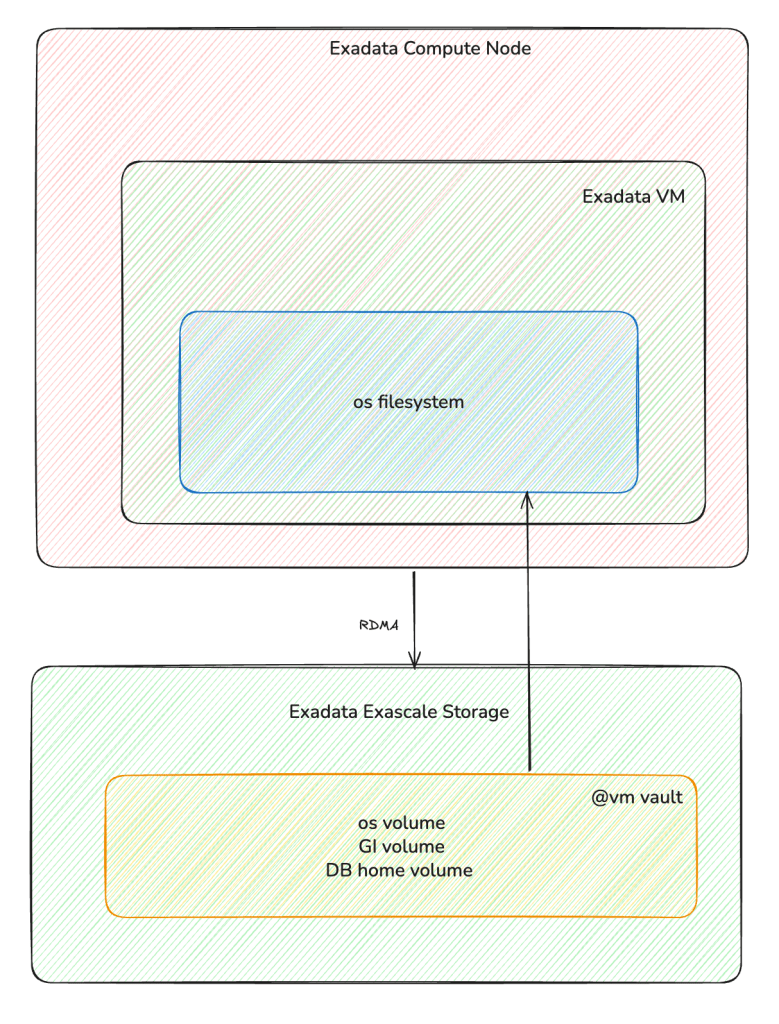
Here are the main benefits of using Exascale for your Exadata Cloud Database Service:
Easy VM Movement & High Availability
In this new setup, your VM files live in a shared, remote Exascale Vault. Because the storage is separate from the physical server, your VM is not locked to one machine. If a physical server has a problem or needs updates, your VM can easily move to a healthy server with almost no downtime.
Run More VMs on Computer Node
Moving the operating system and database files off the physical server frees up a lot of space and resources. Because you are no longer limited by local disk space, you can now run up to 50 VMs on a single database server. This helps you get the most out of your hardware.
Automatic Storage Growth
Exascale Storage Vaults can grow on their own when you need more space. If your vault’s free space drops to 5% or less, the system automatically adds 10% more storage. This happens safely in the background with zero downtime, so your databases never stop running.
Without ASM !!! Every Oracle DBA is expected
Exascale connects directly to your databases using ultra-fast network technology (RDMA). For modern databases like Oracle 23ai and 26ai, this means you do not need an ASM instance anymore. Removing ASM frees up CPU and memory, so your servers can focus 100% on running your database workloads.
(Note: Exascale VM Clusters without ASM only support modern workloads like Oracle 26ai in ExaCC).
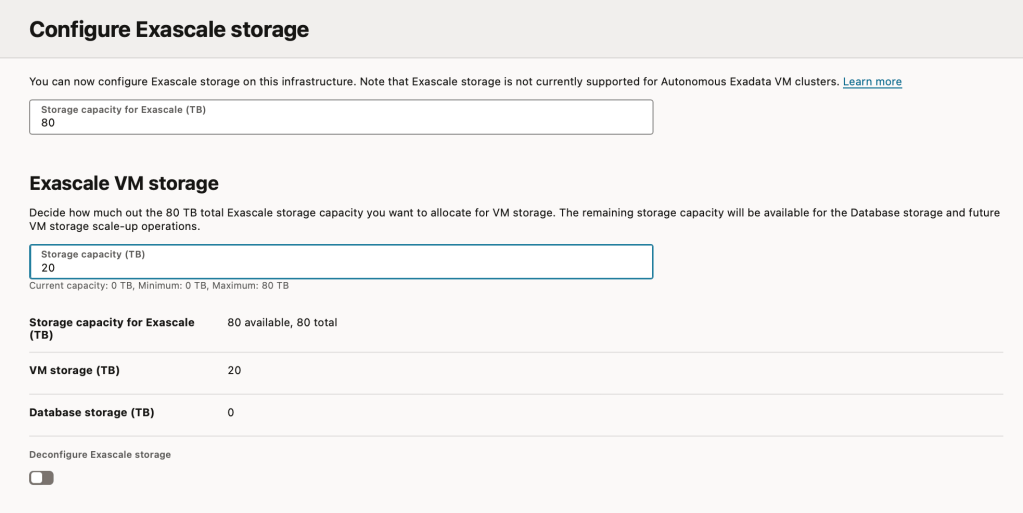
Here is how’s setting it in ExaCC.
Conclusion
Exadata Exascale makes managing your database resources much easier and more efficient. If you are creating a new cluster in our region to run Oracle 23ai or 26ai, choosing an Exascale vault is the best option.
References:
Storage Configuration Requirements for Oracle Exadata Database Service on Cloud@Customer
Deploying VMs on Exadata with Exascale volumes

